Navigation Overview
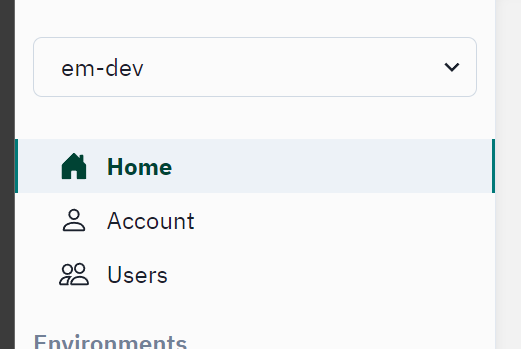
On the left hand side, there are two sections to be aware of. At the top of the menu there are high level team-wide resources.
Home- High level overview about StartingBlocks environments within your team's scope. Here you will see the API version and data standard version for each environment.Account- Overview of your user team memberships and user role.Users- Shows a list of users with access to your team within SBAA.
The bottom half of the left side navigation bar lists out the StartingBlocks environments (SBEs) that your team has access to. Drilling down into any of these environments will list the Tenants, ODSs, Ed-Orgs, Vendors, Applications, Profiles and Claimsets available to your team in that specific SBE.
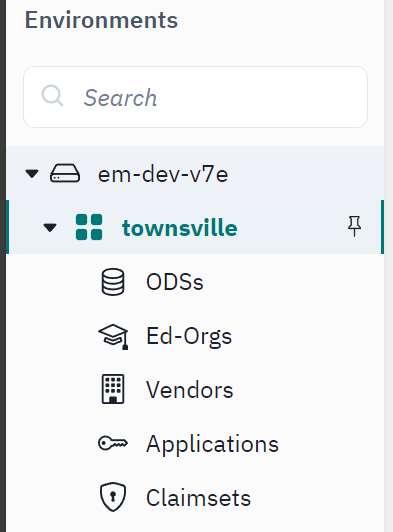
The bulk of useful functionality will be within these StartingBlocks environments (SBEs).
Searching In SBAA
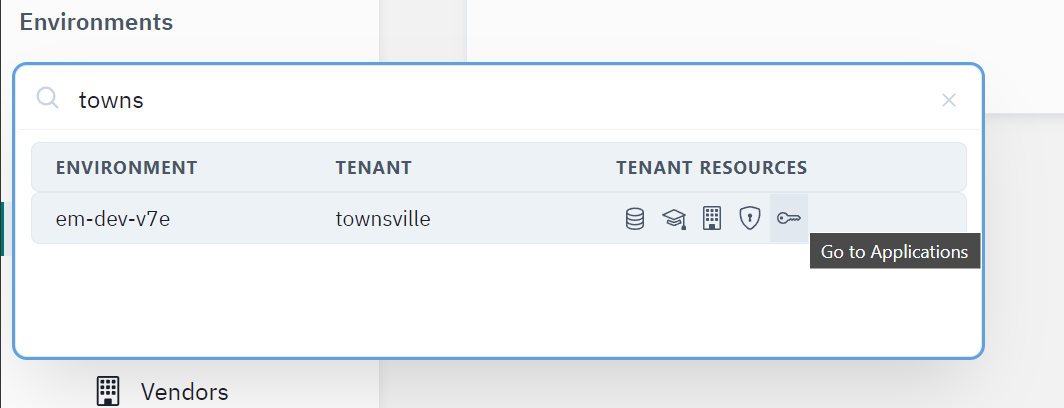
There is also a search box here for your convenience. Users can navigate directly to their chosen Ed-Fi tenant by typing the name into the search box. Users will be able to navigate to the tenant level resources directly through action buttons within the search results.